
Visibility
How to organise your digital presence without giving up your evenings
Find out how to organise your digital presence so you can post regularly, save time and stop your communication eating into your evenings.
For a freelancer, communicating about your business can quickly become yet another task to squeeze in between clients, admin and growing the business.
You post when you find a moment, hunt for an idea at the last minute, throw a visual together quickly… then your communication stops as soon as work picks up.
Yet being visible online does not mean being everywhere or posting every day.
An effective digital presence relies above all on simple organisation, a realistic pace and content that is consistent with your business.
Here is how to set up a method that lets you communicate regularly without devoting your evenings to it.
1. Choose your channels rather than being everywhere
LinkedIn, Instagram, Facebook, Google Business Profile, blog, newsletter… There are plenty of options.
But every additional channel takes time: creating content, posting, replying, updating and following up.
Before opening more accounts, ask yourself a few questions:
- Where are my clients really?
- Which channel best suits my business?
- Which formats can I create regularly?
- How much time can I really devote to my communication?
For many freelancers, one well-maintained main channel is easier to manage than several accounts updated only occasionally.
ALLYVIA tip: start with one main channel. You can expand your presence elsewhere once your first routine is firmly established.
2. Define 3 to 5 content themes
One of the most common difficulties is asking yourself, every time you post:
“What could I post today?”
To avoid starting from scratch, define a few broad themes directly linked to your business.
For example:
- advice and expertise;
- answers to frequently asked questions;
- behind the scenes of your business;
- presenting your services;
- methods and lessons learned.
You are then no longer looking for a new idea among endless possibilities. You simply choose a topic within a category you have already defined.
Also create a single place to keep your ideas: a note, a Notion board or any other tool you already use.
A question from a client, a recurring difficulty or an explanation you often give can all become future content.
ALLYVIA tip: don’t rely on your memory. As soon as an idea comes up, add it to your content list.
3. Create a simple editorial calendar
An editorial calendar doesn’t need to be complex.
Its purpose is simply to let you know what needs to be posted, when and on which channel.
You can start with a few pieces of information:
- topic;
- format;
- channel;
- planned date;
- status.
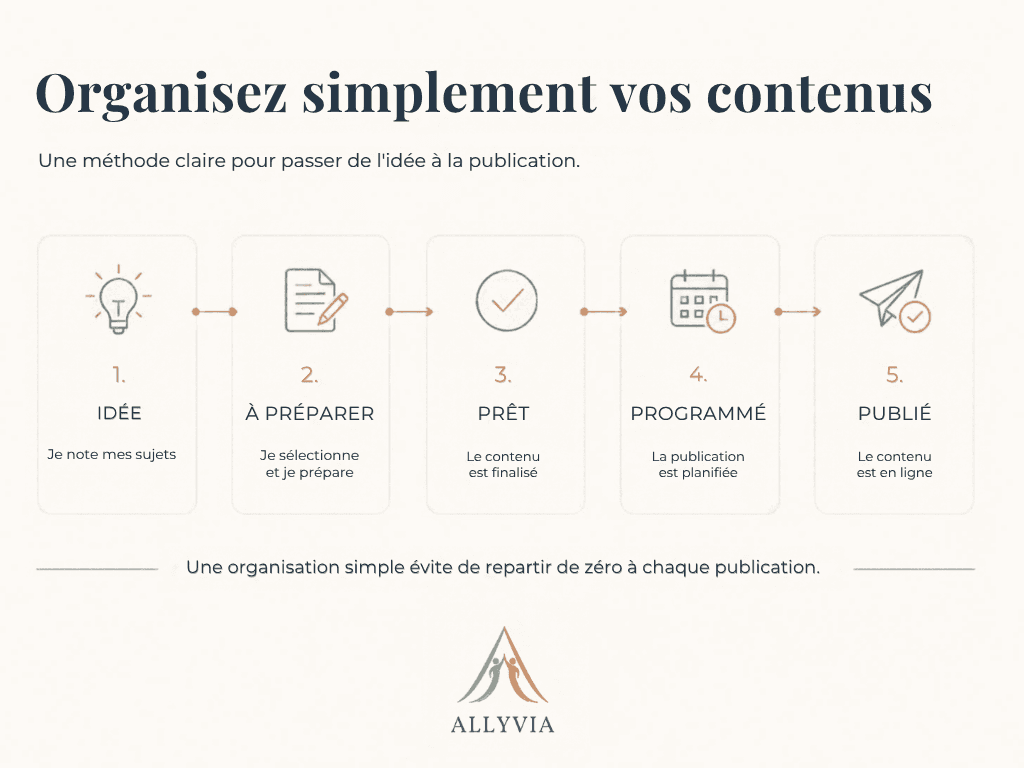
And use a very simple workflow:
Idea → To prepare → Ready → Scheduled → Published
This gives you a clear view of your communication without having to build a complicated system.
ALLYVIA tip: your calendar should save you time. If managing it becomes a task in its own right, simplify it.
4. Batch your content creation
Creating a post on Monday, looking for a new idea on Wednesday and preparing another visual on Friday means constant interruptions.
A more effective method is to group similar tasks into a single time slot.
For example, you could set aside one to two hours every two weeks to:
- select your topics;
- write several pieces of content;
- prepare the visuals;
- proofread;
- schedule the posts.
Your communication then has its own time slot instead of regularly interrupting the rest of your work.
ALLYVIA tip: put this slot in your diary like a genuine business appointment.
5. Create templates you can reuse
Not every post needs a completely different visual identity.
Preparing a few templates saves you time while keeping your communication consistent.
For example, you can create templates for:
- a piece of advice;
- a quick tip;
- a carousel;
- a service presentation;
- a lesson learned;
- practical information.
The same principle can be applied to writing.
A simple structure such as:
Hook → problem → advice → conclusion → call to action
This structure gives you a starting point without forcing you to reproduce exactly the same type of post.
The aim is not to make your communication mechanical. It is simply to avoid starting from a blank page for every piece of content.
6. Reuse what you have already created
Creating more is not always the best solution.
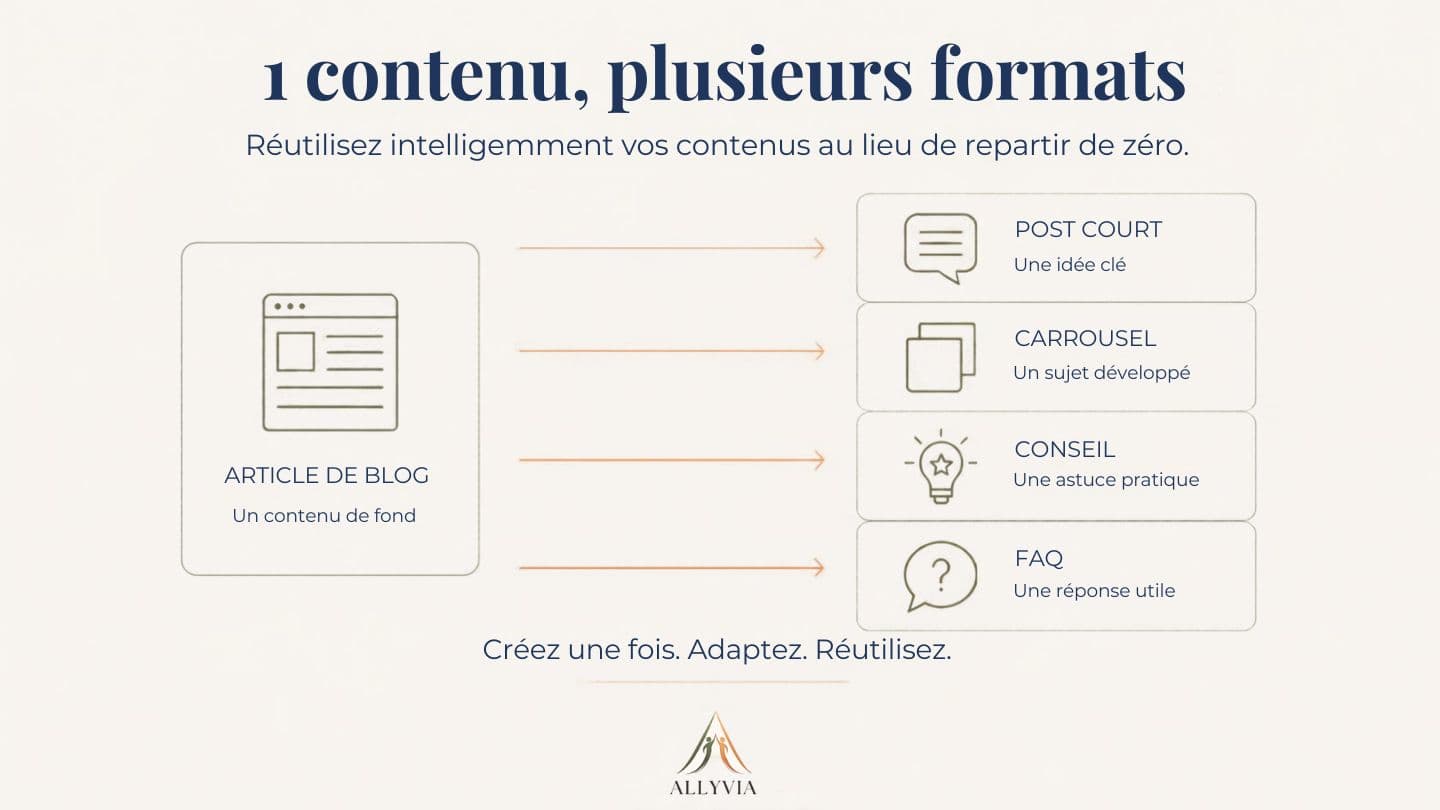
An interesting piece of content can be adapted into several formats.
For example:
1 blog article
↓
2 or 3 short posts
↓
1 carousel
↓
several tips or ideas for future content
A detailed article can therefore feed your communication for several weeks.
In the same way, a frequently asked question can become a post, part of your FAQ or the subject of a future article.
This method lets you spend more time creating genuinely useful content, then adapting it intelligently, rather than constantly coming up with new ideas.
7. Choose a pace you can really keep up
Consistency doesn’t necessarily mean posting every day.
An overly ambitious pace may work for a few weeks, then become hard to sustain as your workload grows.
It is better to start with a realistic goal.
If you can prepare two quality pieces of content a week without disrupting your business, start with two.
If your schedule only allows you to post one, start with one.
The right frequency is above all the one you can sustain over time.
ALLYVIA tip: choose a pace you could reasonably keep up for three months, even during a busy period.
Your organisation can stay very simple
You don’t need a dozen tools or a calendar filled several months in advance.
A basic set-up can be enough:
1 main channel
3 to 5 themes
1 list of ideas
1 simple editorial calendar
a few reusable templates
1 regular content-creation slot
The aim is not to spend more time organising your communication.
It is precisely the opposite: putting just enough structure in place so that your communication takes up less room in your day-to-day life.
Start with a small routine
You don’t need to set everything up straight away.
This week, simply start by:
- choosing your main channel;
- defining 3 to 5 themes;
- noting down 10 content ideas;
- creating 2 or 3 reusable templates;
- booking your next content-creation slot.
You will already have laid the foundations for a more structured digital presence that is easier to maintain.
Need to structure your digital presence?
You know your business needs to be visible, but your communication lacks consistency or takes up too much of your time?
ALLYVIA supports you in setting up a structured, consistent digital presence tailored to your business, without needlessly multiplying tools and tasks.
The goal: a clear organisation so you can communicate more regularly while staying focused on your business.
→ Discover ALLYVIA’s services https://allyvia.eu/services